About Me

My photo
Santa Clarita, Ca, United States
I work as a Technology Manager in the Entertainment Industry. My first film was Disney's Dinosaur and have been credited on several films since. I love working on old electronics, especially old radios. I am also passionate about technology and education. I have 4 kids and you can read about us on our family blog.

Sunday, May 6, 2012

NAB 2012

I attended NAB 2012 in Las Vegas. It's a massive conference with lots to see. This was a chance to talk face to face with vendors and technical support staff as well as a great opportunity to meet with other folks that work in the entertainment industry. I spent a total of two days at the conference. The first day was spent in meetings with vendors  The second day I spent walking the show floor asking questions and learning about new products.  

Day 1: Meetings

As an entertainment industry professional, I was able to make time to attend updates from multiple vendors on their latest products.  These were curated meetings with presentations from the vendors for folks who work in entertainment.  Attendees were from across multiple media and entertainment backgrounds. 

Avid Overview -  Tuesday 4/17 

  • There was an initial overview of many of the new features in Media Composer 6.  Specifically called out was the move to 64 bit and the increased stability that came with it.
  • JPEG 2000 is now supported natively in Avid.
  • The avid can create Pro Res media on Mac, or in Window Server.  Can not be created on Windows desktop.
  • Pro Tools and Avid are being brought closer together.  Avid uses the same audio engine as Pro Tools.
  • They have more Open API's.  They need to make them available and then make sure they are used internally for development.
  • Interplay is expected to become more effective in post workflows.
  • There are many new cameras coming out.  Vendors have the ability to add AVID support through AMA plugins. They supply the AMA toolkit to the camera vendors.
  • Future:
    • Interplay Sphere is coming in Q3.
    • MC 6.5 is coming in the second half of the year. 
    • Not willing to discuss MC7 right now
    • They are supporting AS02 workflows.
    • Avid sees future media experiences to be an integrated media experience. TV's have Internet. People want their hand held device to talk to the TV as more than just a remote.  There is a tend towards Multi-Screen.
    • Viewers on hand held devices want to see high quality content.
    • They are working on Frame Rate independence, color management, and  LUT support.

Telestream Overview  Tuesday 4/17 

This meeting focused on telestream's media conversion and transcoding products such as Vantage, and Flip Factory.

  • General philosophy behind Vantage is to take the linear workflow that flip factory had and open it up to better process design tools, non linear decision making witout loosing focus on transcoding.  - Take all the knowledge they have form flip factory and use it for media processing.
  • They want all their transcoding products and  workflow products to "feel and quack" the same way.
  • They have analysis tools,  decision making frameworks,. etc. It's good for when you have a mixed bag of media and need to convert it.  All the decisions that need to be made can be worked in.
  • Flip factory is still selling like crazy, but folks are starting to move to Vantage.
  • They have introduced x264 as a commercial license in vantage.
  • With vantage you drop 100 files in a hot folder and it figures out what to do with them
  • They are different code bases than flip factory so here are a few features that doen't exist in Vantage. If you are doing long form episodics, Vantage is still a good choice.
  • Lots of discussion on audio compliance and SMPTE 2052 files.
  • They are releasing a lightspeed which can do H.264 conversion quickly.  If doing 720P or 1080p you get much faster acceleration.  You put Vantage on a windows server and it has the license for the lightspeed server.  This can replace a Flip Factory Server.  I can be a 5X speed increase. You can make an array of transcoding farms that is CPU aware (better than round robin)
  • Talked a little about Rosette which is now called "Pro Media Carbon".  It does delivery and media processing work flows. They've gotten a lot of requests for an API to drive it.

Adobe Overview  Tuesday 4/17 

  • Announcements for NAB:
    • CS 6 - Incremented every product in the suite and added two products to the suite.
    • Story - Script writing application is a good source of metadata and cloud based.  Over 100K folks are now using story.
  • Front end of production pipeline is an area they wanted to focus.  - Prelude. You can transcode, tag metadata,..
  • They have an app for folks who work on metadata systems. it coms out of the box and just works. It's working with CNN's and BBS's metadata system.
  • They developed an API that can be used to make logging more interesting.  Demo of ipad app where he is clicking on the screen and using that to do logging.
  • They have the biggest release of technology that they had in a decade.
  • Adobe has a "Creative Cloud" and a "Marketing Cloud".  The vision they set down 5 years ago is now there. They are proud of the vision. Creative Cloud - $50 a month gives you all products and cloud storage.
  • Things are moving back towards remote architecture. You may have an on site server or one in the cloud but premiere is running remotely.  Adaptive media streaming allows scaling of media based on bandwidth.
  • Premiere  - They have been focusing on making it technical grade.  They have a completely revamped UI and work flow. Because of Apple FC issues a lot fo people have tried their product.
  • Premiere looks gorgeous -they believe they have the fastest editor in the world right now.
  • After FX - They broke up the team. One team is on 3D environment the other handled the rest. They spent a lot of work focusing on Performance.  They now have a powerful 3D tracker in After FX.
  • After FX has always been, at best, 2.5D. They now fully embrace the Z axis. They have a true hierarchal radiosity engine casting photons.
  • No one is talking about resolution on cameras any more because they gotten big enough but folks are looking at high dynamic range.
  • Adobe Media Encoder - Software architecture for encoding to any device. you don't have to worry about file size or cadence.  Compositionally aware encoder, it knows by the kind of data what it has to do.
  • Audition - Their audio solution.  It is the fastest audio editor and can sit next to pro tools. They have a fast ADR tool.  They are doing ADR so they can handle dual system sound - i.e two cameras.
  • Audition is fast and launches works in 4 seconds. You can run it on a 5 year old macbook pro.  It does a great job with Audio cleanup.
  • They are working on making all their products open platforms and using open standards.
  • Adobe is very focused on standards and using XMP which is based on XML.
  • They acquired Automatic Duck. There will be integration in CS7. Support for XMP and AAF.
  • Broadcast Engineering - A group internally of 13 engineers. They pick up projects that customers need and integrate them into the products. These guys work on getting these features into the product. They don't do it as a service, they do it to win business.  The work flows into the main product.
  • Lots of Premiere users.. half million folks run after EFX.
  • Adobe Premiere was used to edit  on Social network and girl with the dragon tattoo.
  • They now support 3D lookup tables. They are then going to standardize Rec709 for all of their tools.  They will use .look for the LUTs.

Apple Final Cut Pro Overview -  Tuesday 4/17 

  • One of the strengths of FC Pro 7 was third party integration. They've kept that.  Final Cut Pro 10 XML has greatly increased integration.
  • Autodesk announced a new smoke for Mac. Both this version and current version support FC import.
  • Marquis has a tool that imports from FCut into Pro Tools.
  • The new smoke has gone from 10K to 3.5K and has a much more Mac look
  • There is no private API, all the XML is on the web site.
  • FC 10 - 10.0
    • First version was ground up new app.
    • 64 bit,. Magnetic time line, Content auto analysis
  • 10.1
    • XML, XSAN, Audio Stems.
    • Audio Stems - files can be marked with metdata.
  • 10..3 Multi Cam
    • Chroma Keying - Advanced chroma keying controls.
    • Broadcast Monitoring.
  • 10.4
    • Performance optimization
  • They used to release every 18 mos, now they can release much more rapidly.
  • They are committed to building FC Pro as a video editing system for professionals.
  • Advanced Chroma Keying controls.
    • When you apply the chroma key, it does an automatic evaluation of the image.
    • You can manually adjust the range of chroma that is being keyed out.
  • Multi-Cam
    • Folks in the room are doing between 2 and 6 cameras.
    • You can have 16 angles in one view and up to 4 banks of 16 angles.
    • With QT7 you had to make sure they were all the same frame rate, codec, and resolution before you synchronize the media, now you no longer need to conform.
    • There is an angle editor
    • If using Arri Alexa or Canon C300 you can sync with time code, but Go Camera and 5D don't.
    • You can also sync using audio in FC pro. It analyzes the waveforms.
    • Also can sync using time/date.
  • New Broadcast and post NLE purchase ; Adobe 19%, Avid 19%, Apple 52%, Other 10%.
  • Later This Year - Coming
    • Multi Channel Editing Tools
    • Dual Viewers - Folks liked the FC7 Source/Record windows
    • MXF Plugin Support for Import/Export
    • Direct Support for Red Cameras.
  • They've been working with Sony to update their full plugin range.
  • They are also talking to ARRI.
  • Cannon already has a plugin to import their C300 MXF.
  • They are looking closely at what they do with the XML and developer API's
  • There is no built in 3D support. There are dashwood fliters through MX factory which applies a Left and right filter and edit them side by side.  In the near term it's likely 3rd party support.
  • Hobbit and avatar are 48 frames.  They are not talking about 48 frames right now.  FC does not particular bother about that, but the codecs would be the issue.
  • Is there support for Ases - IDT, ODT, This is the Academy standard format.
  • There is a lot of effort going into developer API's.  They could then have a $300 editing project and some of these things might be in 3rd party.
  • Question about Motion being moved into the application.  He won't answer.

Day 2: Notable Show Floor Exhibits

Blackmagic Design

The Blackmagic Design booth was large and prominently placed at the entrance to the lower South Hall.  It constantly drew a large crowd.


They had their new Cinema Camera on display.  It was constantly surrounded by folks taking pictures of it and talking about it.  I heard several folks say they planned to purchase one.


The camera was getting a lot of attention.  The had a great area to try it out. Cameras were set up in front of a fake movie set.

They set up a stage with actors for the attendees to try out the cameras. 

Adobe

Adobe had a large booth with large video screen. Their focus was on their movie editing and post production tools such as Adobe Premiere.  They had a technical person posted there to answer questions. I asked some questions about Adobe Photoshop but he said he was only there to talk about video products. I then was able to talk to him for a while about work flows in Adobe After Effects.


AVID

I have spent a lot of time building software wrapped around the Avid for media encoding, especially with AAF Toolkit.  My focus on Avid media pipelines made the Avid booth was particularly interesting to me.  Avid had a very nice booth situated right at the opening of the upper south hall.  You could not miss it.  The booth had a large video screen giving demos of most of their products.

 The booth was consistently this busy.  I wanted to stop and talk with a few folks but the booth was so busy, I gave up. Fortunately, I got a great overview of what Avid is doing in the meetings I had on Tuesday so all was well.

Planar Systems

I was drawn to the Planar booth by these interesting mosaic tiles.  At SCVi, we've been talking about putting together a "Donor Wall" to recognize folks who have donated to the organization. It would be very neat to incorporate this product.

I found a few links describing them in more detail.
They also had some interesting large display screens.

Sennheiser

Sennheiser had a nice booth with lots of microphones on display.

You could speak into the Mic and hear how it sounded on the headphones.  Very cool way to demo them. 

 These would look very nice in my Ham Shack!

Sony

Sony's booth was amazing and absolutely enormous.  They had a hub with lit stages surrounded by all kinds of equipment. You could go up to a piece of equipment and try it out in a real studio setting.


Cool And Interesting Booths

I thought these were interesting booths to look at so I snapped some photos.


Dazzling displays from InfiniLED


The Canon booth was also quite enormous.


The Foundry, makers of Nuke, a popular compositing software used heavily in the entertainment industry.

In the back of one hall, they had a 200 inch stereo display that could be watched without glasses. I was impressed with it.  Though, I had no easy way to capture a 3D Picture.


These folks were selling "Whisper Rooms" meant for audio recording.  They are sealed rooms you can use to either contain noisy things or to go when you need silence.  I bet there's a few preschool teachers that wouldn't mind having one of these. Hehehe.


Thursday, May 3, 2012

Classrooms Like No Others

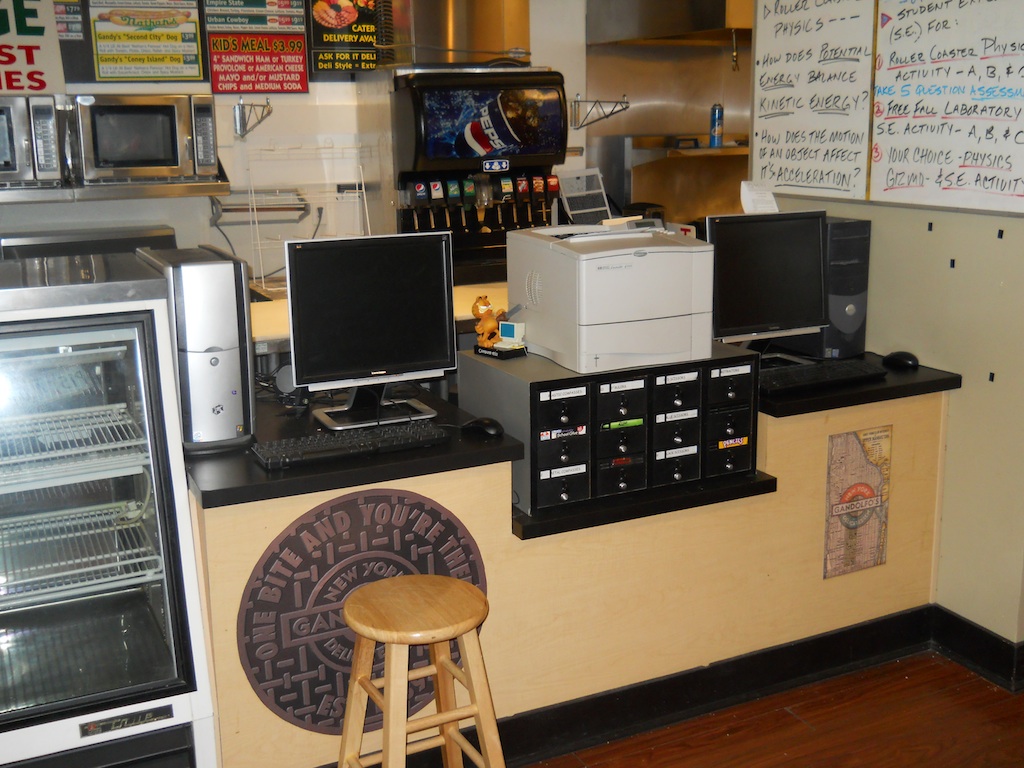
SCVi recently had the opportunity to make use of some vacated space. Classrooms were set up in what used to be a sandwich shop and a nail salon.


The Gandolfo's sandwich shop still had all the original fixtures and counters. We simply moved in the necessary equipment to make it a classroom.  It makes a really unique learning environment. 

The nail salon had a nice front area for customers to wait. This was turned into a reading nook.

 The reading nook is separated from the rest of the school by a glass block wall. The rest of the class is situated in this space.  The back of the store was already divided into rooms so it could be used as  offices for administration.


These classrooms will be significantly renovated in Summer 2012, but for now, they make a very unique and interesting learning space.

Sunday, April 15, 2012

R-808/GRC-14 Military Receiver

This is a vintage Military R-808/GRC-14 general coverage receiver. It is a single conversion superheterodyne receiver covering 2-32 MHz. I believe these were issued to the US Marine Corps in the 1950's.  It's the kind of radio you might see mounted on the back of a jeep in the middle of some jungle or in some command center hooked to a teletype machine.  It was one of my dad's garage sale finds that I picked up for care and feeding. 

I didn't perform any repairs on this radio, but I had a fun challenge trying to figure out how to power it up and listen to it.  Since it was made for military use, there were no labels or standard power plug, just two mysterious looking sockets on the front and a handwritten D-J.  What was the D-J? Perhaps a previous owner's initials?

After some creative Google-ing, I found out that the front power connector (Plug J-1506 ?) has pins for 115V power input on pins D, and J. That explained the mysterious D-J.  I fashioned a plug using some wire connectors.  The radio is apparently also made to work on 28V for ship use on pins A and E.  However, I did not test this.


I searched around some more to determine what to do with the Audio connector. I found that this radio was meant to pair up with a 600 Ohm LS-166 speaker using a "U-77" connector.  I searched around on the connector and found that audio comes out of the radio on pins A and B. For testing, I simply used a small 8 Ohm speaker I had in my junk box. I powered up the radio and was able to listen to some AM stations including WWV at 15.00 MHz.

I opened the radio up to take a look inside.  This radio is very well sealed and amazingly well built. I expect you could use it at the beach while sitting in the sand and surf and still be OK.  It's also, quite heavy.   Here you can see the large circular drums that contain the printed frequency readout.


Notice the bright blue Selenium Rectifier.

 
Apparently, you can't use this radio above 10,000 feet.  I suppose that's good to know if you are carrying it up into the mountains. Insides show that this radio was built by Federal Telephone And Radio Company.


Right Side

Bottom of the radio. I counted 23 tubes total in the entire radio.


Links/References

Sunday, April 8, 2012

Atwater Kent Model 70

This weekend's Radio Projects were an Atlas 210x HF transceiver and an Atwater Kent model 70 console radio.

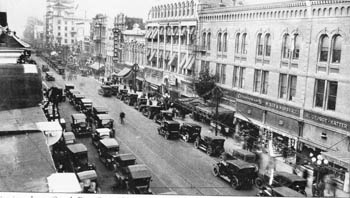
This particular Atwater Kent model 70 radio is very special. My Great Grandparents purchased it new in 1930 from Hale's Department store in Downtown San Jose.  The store was located on the corner of First and San Carlos streets which is now the San Jose Silicon Valley Chamber of Commerce.  Here is what the area looked like at the time.


I picked it up from my grandfather so I could restore it as a family heirloom. It's been stored in his basement for decades. Other than having some scuffs and some finish damage from a leaking can of tomato paste, the radio was in pretty good shape.

Here's a picture of the Atwater Kent Type L" chassis. It''s a TRF design as you can tell from the multiple air variable capacitors.
Instructions mounted in the cabinet.


Upon first inspection, I found that the 80 rectifier tube had been swapped with one of the 45 audio output tubes.  I also noticed that the power transformer was not original.  I wasn't sure if the tube swap was intentional or not.  These tubes look very similar so someone might have made a mistake.

Normally, I'd trace wires before doing anything with the radio but Grandpa had insisted the radio was working when it was put away. I decided to bring it up slowly on the Variac.  Unfortunately, the radio  did not show any signs of life.  I needed to know if the tube swap was intentional or not so  I opened up the case and checked underneath.

The tube swap was certainly not intentional.  The transformer leads went straight to the socket that was intended for the #80 rectifier tube. Was some ancestor playing with the radio perhaps?  I put the tube in the correct socket, but the radio was still dead.


That transformer looks like it has been leaking tar.  Was this from the original transformer or the replacement?  The bottom of the radio had a paper cover and had tar goop on it.  Hopefully the transformer was OK.

A little more inspection revealed a 2 amp fuse on the power input that had blown. Problem #2 was found. 
Fortunately, I keep fuses in stock.  Though, this fuse is also readily available on Amazon.  If you need an assortment, they also have large assortments for sale cheaply so you can build up your stock as well.

This brought the radio to life!


There was still more work to do.  The tuning dial was slipping.  This was due to a rubber bushing that was supposed to be stuck tight to the tuning shaft.  It was pretty loose after sitting on there for 82 years. 

I could have gone on a hunt for a replacement bushing. However, since it was rubber, I simply used rubber cement to glue it to the inner bushing.  This took care of the tuning for now. 


I then reassembled the radio and waxed the case with carnuba floor wax.

The radio has dials for tuning, tone, and volume. Here's a quick demo while the radio was playing.


Unfortunately, there's still going to be some more work to do on this radio. After playing it for a while, the acrid smell of burnt tar started to fill the room.  Ugh!! Guess that transformer is suspect after all.

Atlas Model 210x

This weekend's Radio Projects were an Atlas 210x HF transceiver and an Atwater Kent model 70 console radio.

The Atlas Model 210x was first introduced in 1973.  It was quite revolutionary at its time as being all solid state. (No Vacuum Tubes).  This particular specimen was found in my dad's backyard. He had purchased it at a yard sale and covered it in a plastic bag. I rescued it while visiting my dad.  When I opened up the chassis, I found that one of the capacitors on the audio board was blown.  It also burnt the side of the adjacent capacitor and spewed a mess on the circuit board.


I decided to replace both capacitors. (22mfd@16v and 100mfd@16v.) and also clean up the circuit board. Here is the audio board with the new capacitors installed. You can see them in the upper left hand corner of the circuit board.


I re-installed the audio board and powered up the radio.  It performed reasonably well and I was able to hear stations between Wisconsin and California on 80M, 40M, and 20M using a long wire antenna installed in my backyard.  I powered it with a 15A 12V power supply which also came from my dad's collection.


I have not yet tried to transmit with the radio. When I do, I'll update this posting.

Friday, April 6, 2012

Google Chromebooks For Education

SCVi's New Chromebook Cart

Our fund raising focus for the 2011-2012 school year is Technology.  This focus has allowed us to  purchase some really wonderful items for use in the school such as a Mac Book Air Cart, Digital Microscopes,  iPads, and a Google Chromebook Cart.  The Google Chrome Book is a great device for student use with its small size, light weight, 8 hour battery and hard plastic case.  Ours came with a Google Branded Bretford Mobility Cart, color laser printer,  and 30 chrome books.


What is a Google Chromebook? 

Simply put,  a Google Chromebook is a small inexpensive laptop that runs the Chrome OS.  If most of what you do is on the web, it's a wonderful tool to get your work done.  Here's a nice video from Google that explains it pretty well.


Benefits Of A Chromebook

For classes that mostly work on the web using things like Google Docs, WikiPedia, YouTube, E2020, EdLine and others, the Chromebook does a good job of fitting their needs. The Chrome Book also has access to a wealth of applications in the Chrome Web Store.  Many of the things you'd want to do on your computer are available in the store.  We have heavy use of Google Docs in grades 6 and up so the Chromebook works well for these grades.

In order to take full advantage of our Chrome Books, our school is also implementing a Google Apps For Education Domain.  This is something that should be done before you  purchase and Google Chromebooks.  With the Google Apps For Education domain, every Learner will be issued a Google ID.  Using this google ID, the student can log into the Chrome book and it is transformed into their own device just by logging on.  When they are done with the device, they simply log out and it is ready for a different student to use. All of their Google Documents and content are stored in the cloud.

I think the ability of the device to work for multiple users so nicely is the single greatest asset of the Chromebook. You can wheel a cart of the devices into a classroom, everyone logs on with their Google ID, and the device is transformed into their own personal computer.  All their Google Documents  and School E-Mail are available.  When they log out, it's ready for the next student.  It doesn't matter which Chromebook you pull from the cart, as soon as you log on, it is yours.  All this power comes built into the Chromebook and there is no extra work to be done by IT staff. 


Chrome Book Cautions

Though, certainly an innovative device,  the Chromebook is not a full laptop where you can install anything you want.  The beauty, but also the limitation is that the Chromebook only runs web applications. The Chromebook supports Flash, but not Java, so you can use your flash based web sites.  Any Java based sites you use will need to be ported to HTML5.  If you prefer using installed native applications like Open Office, iMovie,  Outlook, or Photoshop, the Chromebook is not for you.

Another thing to pay very close attention to are the long term costs. The initial purchase price of a Chrome Book can range from $350 (From Amazon) or $450 (From Google).  The $350 Amazon device has no recurring fees, but is primarily designed for family/personal use. You can not manage it from the management console or tie it to a Google apps domain. The advantages of the $450 Google device is that it has a longer life battery, a stronger plastic shell, and can be registered specifically to your own Google domain. (Allows use of the management console). When registered with your own Google domain,  the machine can be limited to only allow logins from your domain. However, there's a catch to all these benefits.

The first year of management on a Chromebook comes for free. After the first year, Google expects to charge $5 per device, per month.  This is $60 per year per device (13% of acquisition cost).  For a cart of 30 Chromebooks this is $1800 per year!! Since our budgets can change from year to year we usually abstain from products that have recurring fees of any kind, especially large fees like this.   I think this turns the tide somewhat against the Chrome Book and we would be unlikely to spend this much just for the ability to use the management console.

When you add up the cost of the management console over 3 years, other technologies become more competitive.  Here's a quick comparison of a few that we use at our school.  Note that this does not include the cost of IT staff to manage any these devices. Though, we do very minimal management on any of our devices so our cost is pretty low anyway.


Device Initial Cost 30 Device Cart Cost 3 Year Cart Cost  With Recurring Fees
Google Chrome Book $450 $13,500 $17,100
Google Chrome Book (Amazon) $350 $12,500 $12,500
iPad $489 $16,500 $16,500
MacBook Air $930 $27,300 $27,300
 

Summary

The Chromebook is an innovative device that fits the needs of some of our classrooms really well.  Though, it's not a full laptop and does not work for everyone.  It's great for folks who work entirely on the web already.  The pricing for the device is competitive, but the management console quickly raises the price to where other devices become a better value. At the price Google is asking right now, I think it is very unlikely we would pay the recurring fees.

At SCVi we allow a great deal of flexibility in the technologies used in the classroom.  You may see Ubuntu Linux, iPads,  Mac Book Airs, Windows Netbooks, or Chromebooks.  We make multiple platforms available to our teachers and students and  then see what works for them. I don't expect that we'd ever commit to any one platform.  Many of our facilitators come up with their own ideas and innovations. This means our IT department  must be flexible, adaptable, and constantly learning. 

Links And References

Here are some links that folks may find interesting.